For sales teams & managers
Sales Leaderboard & Contest Tracker
Rank reps by revenue, deals closed, or calls made and display live rankings on the office TV. Update scores from your phone and the whole team sees changes in real time. No CRM integration, no IT setup.
Powering leaderboards for thousands of people

Built for the Sales Floor
Fast setup, real-time updates, and a display that looks great on any screen, from office TVs to mobile phones.
Rank Reps by Any Metric
Sort your team by revenue closed, deals won, calls made, or any custom KPI. Switch metrics on the fly to spotlight different aspects of performance.
Office TV Display Mode
Stream the leaderboard to a wall-mounted TV in your sales pit. Auto-refreshing scores keep the energy high all day without anyone touching the remote.
Sales Contest Management
Run SPIFs, monthly blitzes, or quarterly challenges on their own boards. When a new period starts, reset every score to zero in one click and the race begins again.
No CRM Integration Needed
Skip the complex Salesforce or HubSpot setup. Update scores manually or via a simple link. Your leaderboard is live in under two minutes.
Motivate with Visibility
Public rankings create healthy pressure. When every rep can see where they stand, middle-of-the-pack performers push harder to climb.
Brand with Your Logo
On Pro and Premium, upload your company logo and pick your brand colors so the leaderboard looks like an official part of your sales floor, not a third-party tool.
Four Ways to Keep the Board Current Without a CRM Integration
A leaderboard nobody updates gets ignored by Wednesday. Pick whichever fits how your team already works, or mix them.
A manager updates it from their phone
Log a deal in two taps from the board editor. Pro adds up to 3 more managers per board, so team leads can post their own pod's numbers.
How updating worksReps update their own score
Turn on self-scoring and each signed-in rep gets score buttons on the public board for their own row, and only theirs. Works on every plan, free included.
Set up self-scoringIt reads your Google Sheet
Already track deals in a spreadsheet? Connect a published Google Sheet and the leaderboard re-reads it about every minute. Edit the sheet, the TV follows.
Sync from Google SheetsYour CRM pushes to the API
On Pro, a small script or automation can post closed-won numbers from your CRM or data warehouse, so nobody types anything.
Read the API guideLive Rankings on the Office TV
Open the leaderboard link on any smart TV, Chromecast, or wall-mounted monitor. As deals close and scores update, the rankings shuffle in real time. No one has to touch the display. It just works.
Create a sales leaderboard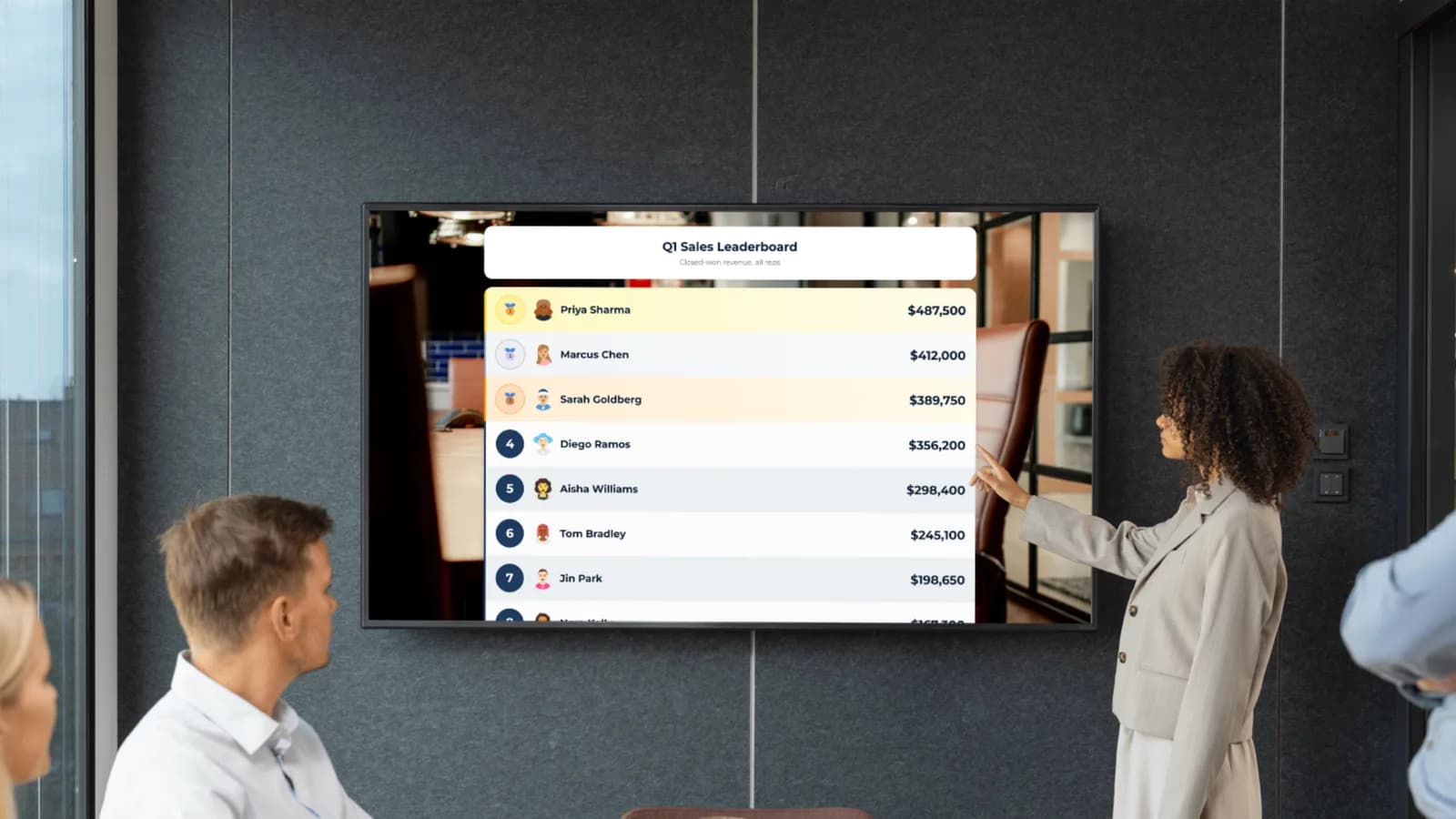
Update Sales Scores from Anywhere
Log a new deal from your phone, laptop, or tablet. Whether you're at your desk, in a meeting, or on the road, you can update the leaderboard in two taps. Multiple managers can update the same board simultaneously.
Try it from your phone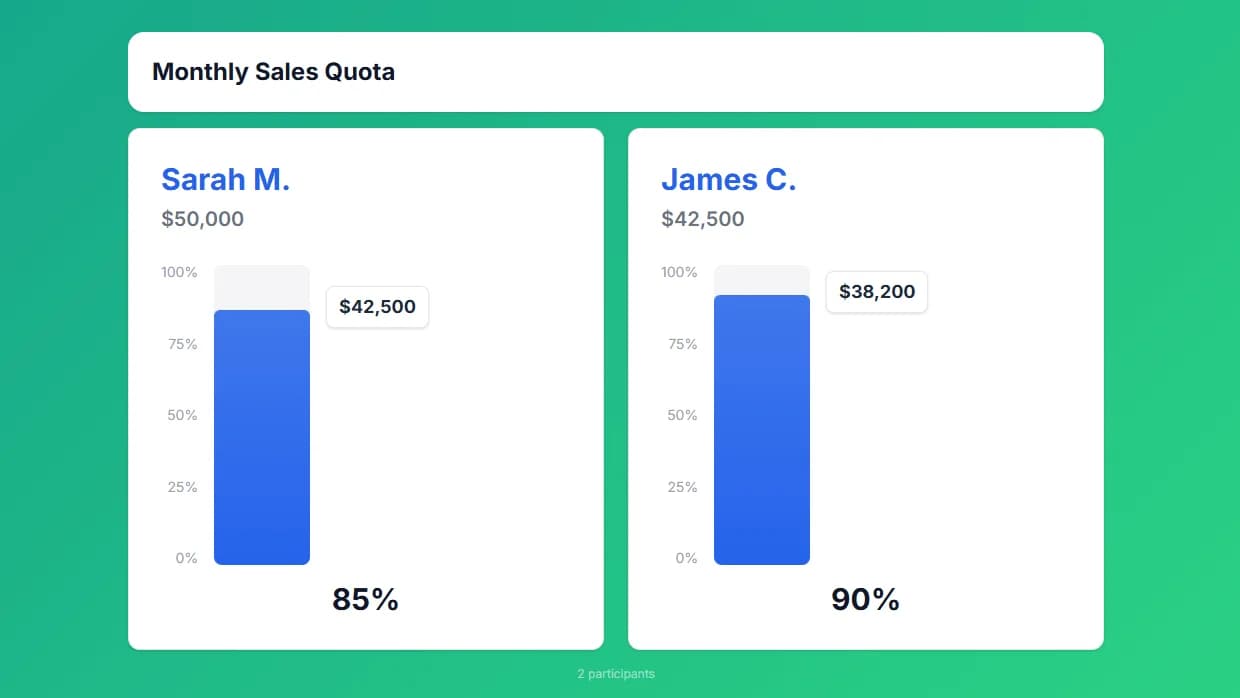
Brand It to Your Company
Add your company logo, pick your brand colors, and make the leaderboard feel like part of your sales floor. Pro and Premium plans include your logo, brand colors, and a background image, and remove the MakeTheBoard badge.
See customization options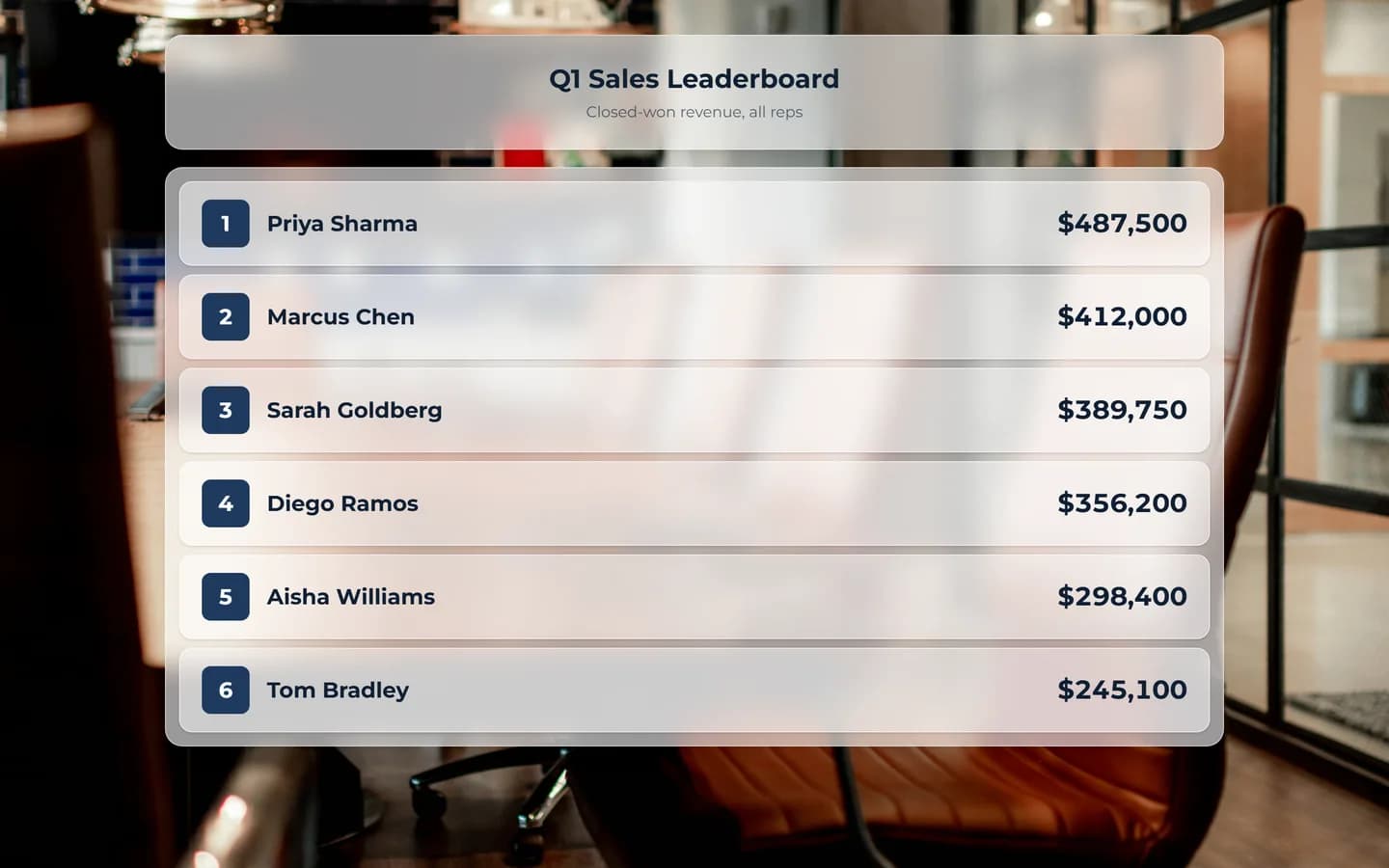
Rank Reps by Any Metric You Choose
Revenue closed, deals won, calls made, or demos booked, you set the metric and MakeTheBoard handles the ranking. Flexible scoring means your sales leaderboard tracks exactly the activity you want to reward, with no CRM integration required.
Create a sales leaderboard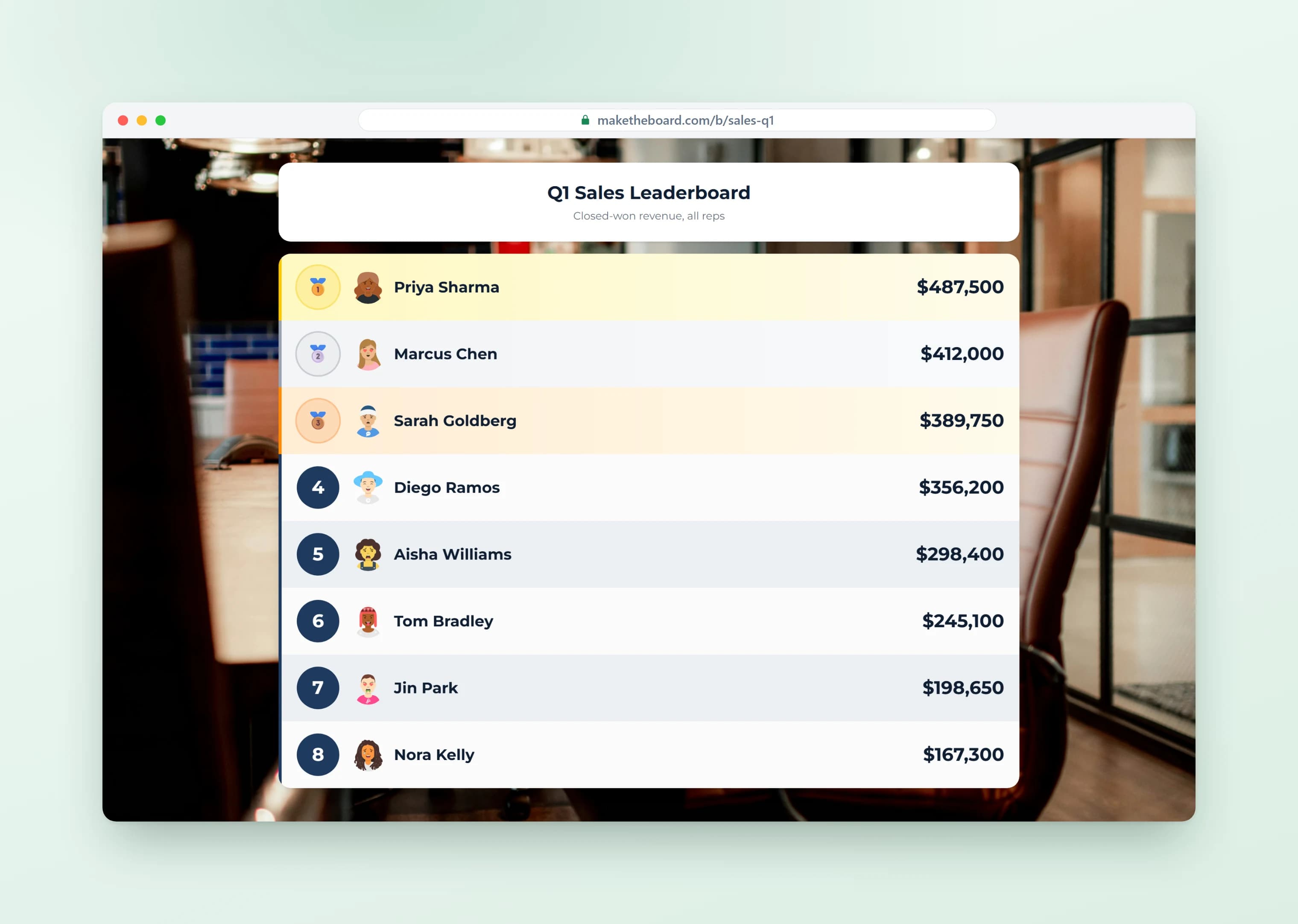
Run Contests and Team Quota Races
Launch sales contests, SPIFFs, and team quota races that drive real motivation on the floor. Set a target, watch reps push toward it in real time, and turn the quarter into a competition everyone wants to win.
See sales contest ideas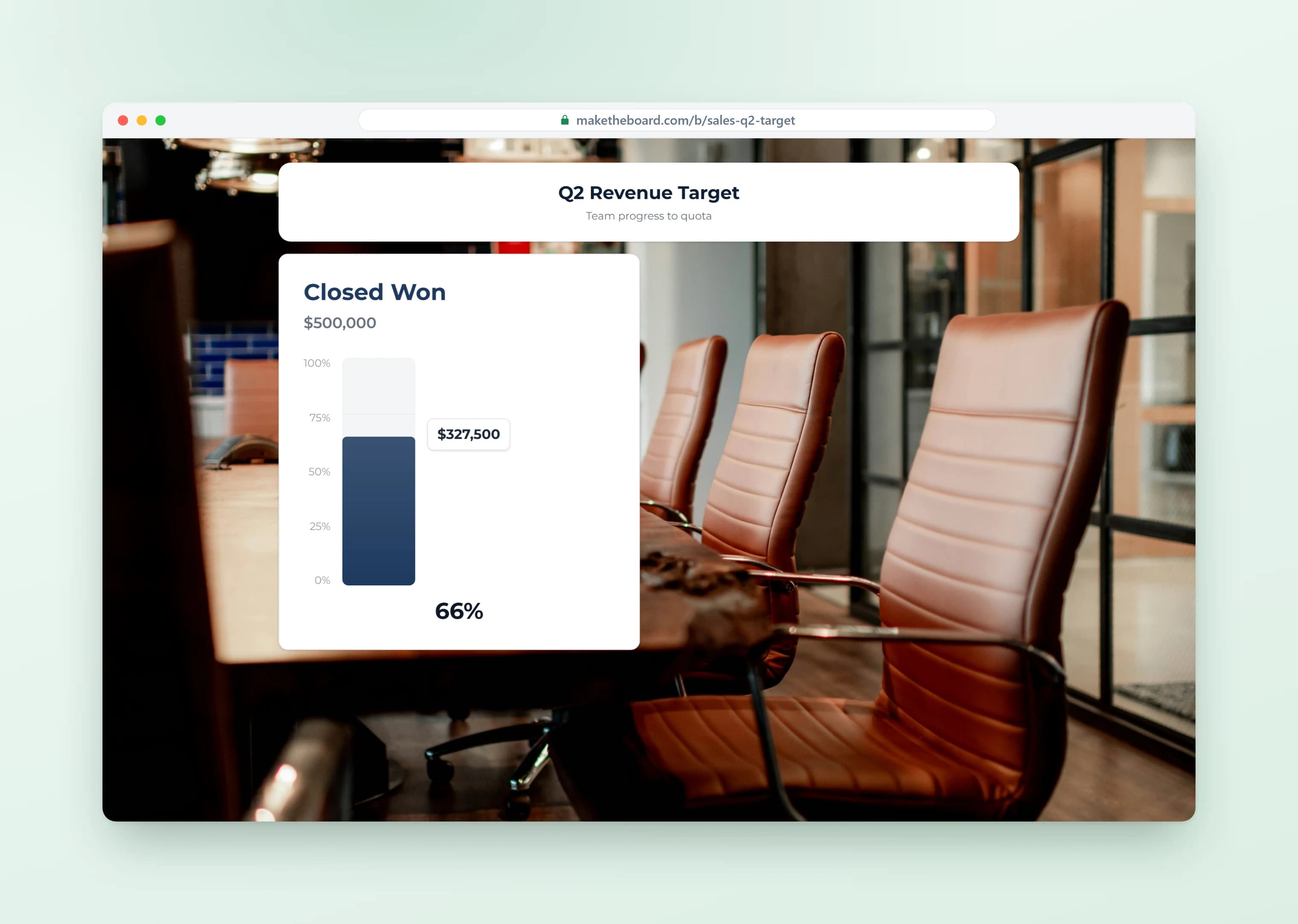
How to Set Up a Sales Leaderboard in 4 Steps
The software part takes a couple of minutes. The decisions below are what make the board motivate people instead of annoying them.
- 1
Pick one metric that matches the behavior you want
Rank on the thing you want more of this period. Closed-won revenue rewards closers; meetings booked rewards prospecting. One metric per board keeps the ranking easy to read from across the room.
- 2
Choose the window, and reset when it ends
Weekly for activity, monthly for revenue, quarterly for quota. Short windows give the bottom half a real chance to win. When a period closes, reset every score to zero in one click.
- 3
Add your reps and decide who updates it
Type the names or paste the list. Then choose the update path: a manager after each deal, reps scoring themselves, or a Google Sheet the board reads on its own.
- 4
Put it where people already look
Open the link on the sales floor TV, pin it in the team Slack channel, or embed it on the intranet. Glance at it in stand-up so it stays part of the day.
Worked example
A 10-rep monthly revenue race
- Board: “October New Revenue,” one row per account executive, scores shown with a $ prefix.
- Metric: closed-won new-business revenue only, so renewals don't decide the race.
- Updates: reps log their own deals with self-scoring; the manager checks the board against the CRM each Friday.
- Display: the share link runs full-screen on the TV by the sales pit and is pinned in Slack for remote reps.
- Reset: scores go back to zero on the 1st and the November race starts level.
- Cost: free. Ten reps fits inside the free plan's 15 people per board.
What to Rank: Sales Leaderboard Metrics by Role
Leading metrics (activity) move every day, so everyone can climb. Lagging metrics (results) are what the business pays for. Many teams run one board of each.
| Role | Leading metric | Lagging metric | Contest window |
|---|---|---|---|
| SDR / BDR | Calls, emails, meetings booked | Qualified opportunities accepted by AEs | Weekly |
| Account executive | Demos run, pipeline created | Closed-won revenue, deals won | Monthly |
| Account manager / CSM | Check-in calls, expansion opportunities opened | Upsell revenue, renewals closed | Quarterly |
| Field or door-to-door | Doors knocked, appointments set | Sales closed | Daily or weekly |
| Retail / inside sales floor | Add-on attach rate, calls handled | Units or revenue sold | Weekly |
| Pods, regions, or offices | Team pipeline created | Team % to quota | Monthly or quarterly |
More on picking the number: sales KPIs every manager should track.
Sales Leaderboard Best Practices
A leaderboard is a motivation tool, and a badly run one does the opposite. These habits keep it working.
Rank on something every rep can move
If territory decides the winner before the month starts, the board demotivates everyone but the top two. Activity metrics and % to quota level the field.
Keep the cycle short
A rep who is 40% behind in week three of a quarter has already checked out. Weekly and monthly resets give everyone a fresh start.
Recognize more than first place
Run a second board for most improved, or for an activity metric, so different reps get their moment on the TV.
Pair the ranking with a target
Put a goal tracker showing % to quota beside the leaderboard. Reps see where they rank and how close they are to their own number.
Update at least daily
A board that is a week stale is worse than no board. Self-scoring or a Google Sheet sync takes the updating off the manager.
Freeze the rules once the contest starts
Announce the metric, the window, and the prize up front. Changing what counts mid-contest is the fastest way to lose trust in the board.
Sales leaderboard reward ideas
The ranking does most of the work; the prize just needs to be something people want to be seen winning.
- A traveling trophy that sits on the winner's desk
- First pick of inbound leads for a week
- A half-day off, taken any Friday that month
- Lunch with a senior leader of the winner's choice
- Choosing the team's next offsite or lunch spot
- A cash or gift-card SPIF for the top three
Sales Leaderboard Templates & Contest Ideas
Pick a template, customize the metric, and launch your contest in seconds. For more inspiration, read our 15 sales contest ideas that actually work.
Monthly Revenue Race
Rank reps by total revenue closed this month. Reset at the start of each period to keep competition fresh and give every rep a shot at the top.
Deals Closed Sprint
Track number of deals closed in a one- or two-week sprint. Great for pushing pipeline velocity at end of quarter or running a quick SPIF.
Outbound Activity Blitz
Rank by outbound calls, emails sent, or demos booked. Drive leading-indicator activity, not just lagging results. Perfect for SDR and BDR teams.
Team vs. Team Challenge
Pit sales pods, regions, or offices against each other. Team totals add a layer of collaboration. Reps push each other because individual effort lifts the whole team.
New Logos / New Business
Focus on net-new logos rather than upsells. Motivates reps to prospect and hunt instead of relying on expansion from existing accounts.
Quarterly Quota Attainment
Track each rep's progress toward their individual quota. Use the goal tracker or leaderboard format to visualize who is on pace and who needs a push.
Frequently Asked Questions
Sales leaderboard software is a tool that ranks sales reps, teams, or territories by a chosen metric, most commonly revenue closed, deals won, or activity like calls and demos. The leaderboard updates in real time and is designed to be visible to the whole team, usually on a TV on the sales floor or as a link reps can pull up on any device. The point is ambient visibility: when reps can see their ranking at a glance, they self-correct and push harder without a manager having to chase them.
A sales leaderboard is a ranked list of reps (or teams) ordered by performance, most commonly revenue, deals closed, or call activity. The reason teams use them is simple: visibility drives behavior. When reps can see exactly where they stand against peers in real time, output goes up. Top performers are recognized, middle reps push harder to climb, and bottom reps see exactly what they need to do to catch up. Done right, a sales leaderboard turns abstract numbers into a daily competitive scoreboard.
Yes. The free plan lets you create up to 2 leaderboards with 15 reps each, no credit card required. That covers most sales teams. Upgrade to Pro ($24/mo) for up to 25 boards, 50 reps, custom branding, CSV and JSON export, the developer API, and shared admin access for up to 3 managers. Premium ($52/mo) raises that to 100 boards, 500 reps, unlimited managers with roles, analytics, and an audit log.
No. MakeTheBoard is a standalone tool, no CRM integration or IT setup required. Most sales managers update scores manually during their daily stand-up or after pulling a report. You can also connect via our API if you want to automate updates from your CRM or data warehouse.
Yes. Turn on self-scoring and each rep signs in and updates their own row from the public board, on any plan including free. Managers can still correct or reset any score from the editor.
Yes. Create a Google Sheets leaderboard, paste your published sheet link, and the board reads the Name and Score columns and ranks everyone. It re-reads the sheet about every minute, so the office TV stays current while your team keeps working in the sheet.
Absolutely. Open the leaderboard's shareable link in any browser on a smart TV, Chromecast, Apple TV, Fire Stick, or wall-mounted monitor. The responsive layout fills the screen and updates in real time as scores change.
Yes. On Pro you can invite up to 3 other managers or team leads to each leaderboard, and Premium removes that limit. Everyone updates scores from their own device and all changes sync instantly across every screen. Reps can also update their own numbers if you turn on self-scoring, which works on every plan.
Anything with a number: revenue closed, deals won, calls made, demos booked, pipeline generated, meetings set, new logos, upsell revenue, or any custom KPI. You set the unit label (e.g., '$' prefix or 'deals' suffix) and MakeTheBoard handles the ranking.
CRM leaderboards are buried behind logins and dashboards. Most reps never check them. MakeTheBoard is designed for visibility: put it on a TV on the sales floor, share a link in Slack, or embed it in your intranet. Live, auto-updating, no login required to view.
To run a sales competition, pick one clear metric (revenue closed, deals won, or calls made), set a time window, and put a live sales board where every rep can see it. Create a leaderboard, add your reps, and display the link on the office TV or share it in Slack. Update scores as deals close and the ranking re-sorts in real time. That visibility is what makes a sales competition actually drive behavior. Keep the cycle short (weekly or monthly) so every rep feels they still have a shot at the top.
Yes. Create a separate leaderboard for each contest (monthly revenue race, weekly call blitz, quarterly SPIF, etc.). The free plan supports 2 boards; Pro supports up to 25.
Yes. Alongside the ranking, you can run a sales goal tracker that shows each rep's progress toward their number: quota attainment, a revenue target, or a personal stretch goal. Use a leaderboard to rank the team and a goal tracker (progress bar) to visualize % to quota. Many teams display both side by side so reps see where they rank and how close they are to hitting their sales goal.
Popular sales competition ideas include a monthly revenue race, a deals-closed sprint, an outbound activity blitz (calls, emails, demos), a team-vs-team challenge, a new-logo hunt, and a quarterly quota race. Pick one clear metric, keep the cycle short so every rep feels they can still win, and put the sales leaderboards where the whole floor can see them. The templates above are ready-made starting points for each of these contests.
Yes. Share the public link and anyone can check their ranking from any device (phone, tablet, or laptop). No account or app install needed to view. The mobile layout is fully responsive.
Free leaderboards use the default theme. Pro and Premium plans let you upload your company logo, set brand colors, and add a background image so the leaderboard feels like part of your sales floor.
Ready to Fire Up Your Sales Team?
Create a free sales leaderboard in under a minute. No credit card, no CRM integration.
Scores already in a spreadsheet?
Explore More from MakeTheBoard
Free Leaderboard Maker
The full leaderboard builder. Works for sales, classrooms, competitions, and any use case.
Goal Tracker
Visual progress bars for sales quotas, revenue targets, and team-wide goals.
Scoreboard Maker
Head-to-head scoreboards for team competitions, SPIFs, and office game nights.
Classroom Leaderboard
Same tool, different use case. Teachers use it for student points and reading challenges.
Sales Gamification Software
Turn sales metrics into visible competitions with leaderboards, contests, and goal trackers.