Share & Embed Your Board
Every board has a one-click Share button in its control panel. From there you can hand out a link, show it on a TV, embed it on your site, or let people add themselves.
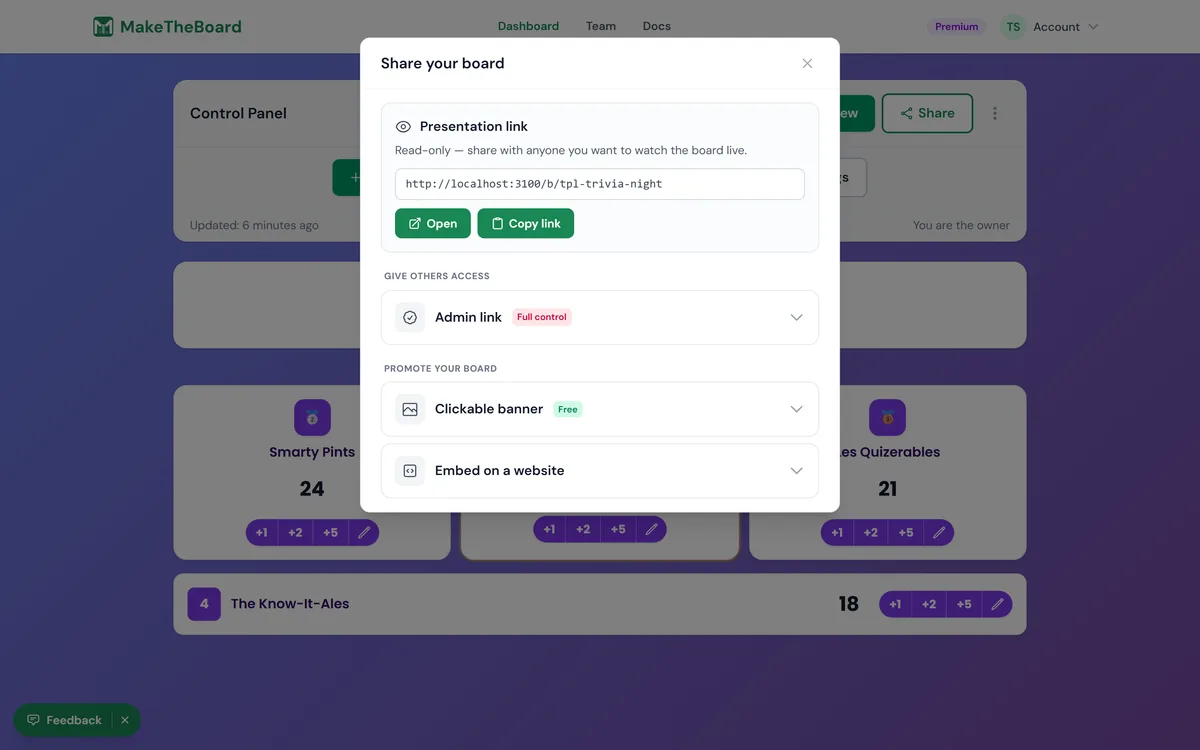
Ways to share
Public link + QR code
Every board has a public address at maketheboard.com/b/your-board-slug. Anyone with the link can view it live, no login required. The Share modal also generates a QR code so people can scan to view from their phones. Works on all plans.
Display on a TV or projector
Open the public link on any screen and go fullscreen for a clean, auto-updating display. See TV & projector display. Works on all plans.
Embed on a website
Drop your board into any web page with a copy-paste iframe snippet. See embedding on a website. Embedding works on every plan, including Free.
Let people self-register
Share a self-register link so participants add themselves to the board, great for sign-up sheets and contests. See self-registration. Works on all plans.
Let a helper keep score
A scorekeeper link opens a phone-friendly page where a helper can update scores and nothing else. Leaderboards and goal trackers, on all plans.
Admin links & the developer API
Hand a trusted helper an admin link to edit scores without your account, or push scores from your own code with the developer API. Both require a Pro plan or higher.