Leaderboards
A leaderboard is a ranked list that auto-sorts by score, with score bars and optional podium medals. Update a score and everyone's rankings re-order instantly.
Want to skip straight to a live board? The leaderboard generator gets one running in under a minute; this guide covers what each part does.
Here's a live one. Scores update in real time:
Live leaderboard, updates in real time
Create and run it
1
Create the leaderboard
Click New Board, choose Leaderboard, give it a name, and create. You land in the editor at
/boards/<slug>.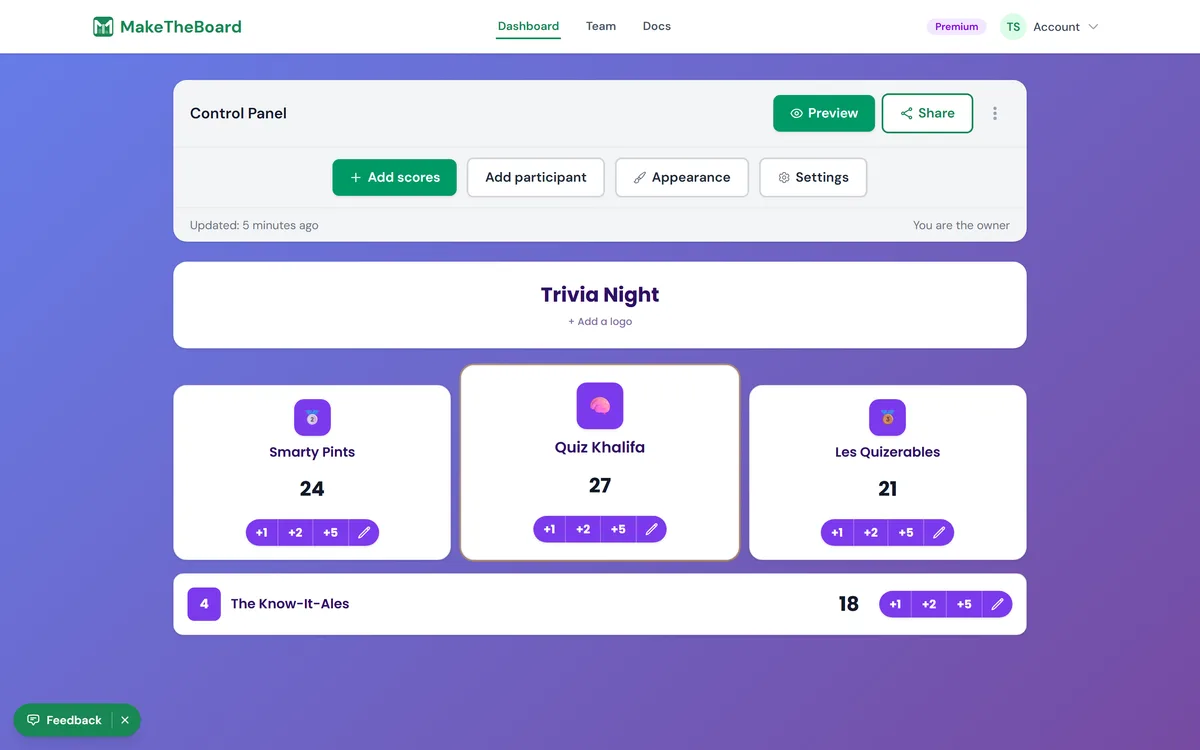
2
Add participants
Type a name, press Enter, repeat. Free boards hold up to 15 participants; Pro raises that to 50 and Premium to 500.
3
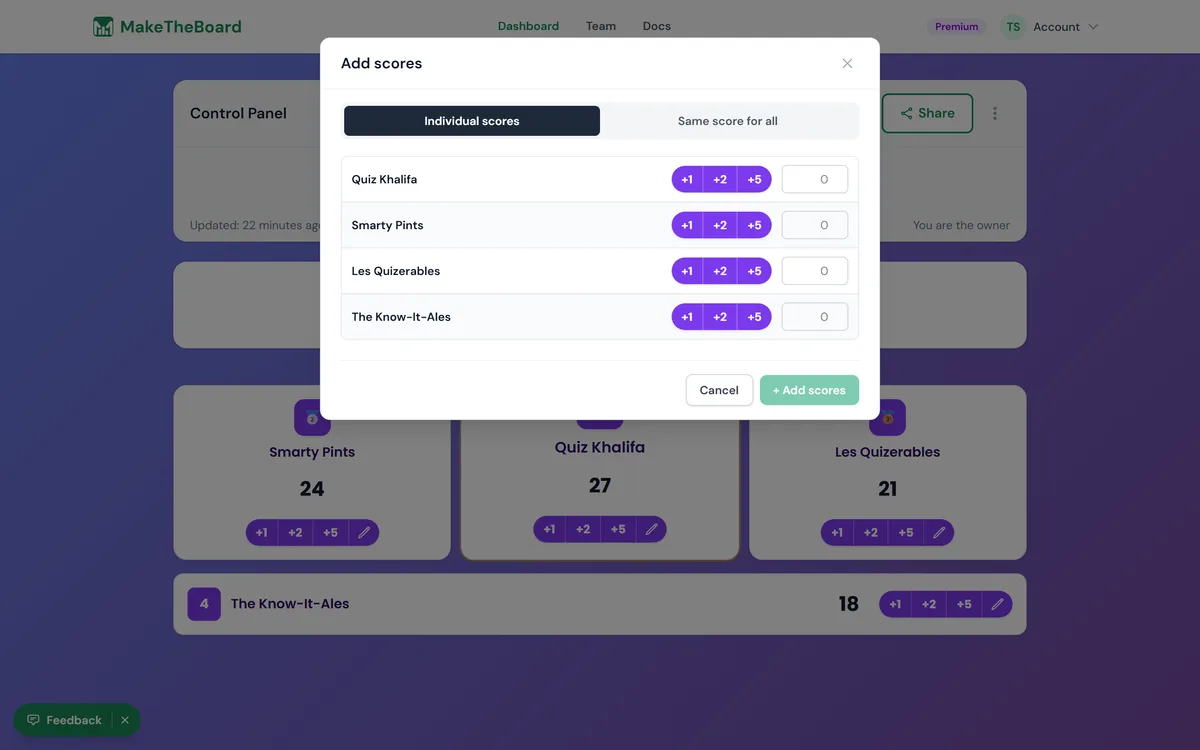
Update scores
Click any score to edit it directly, or use the score buttons to add and subtract points with one tap. Changes save and broadcast to viewers instantly.
4
Pick a sort direction
By default the highest score ranks first. Flip it to low-to-high in board settings when the lowest score wins (golf, fastest time, fewest penalties).
5
Add podium medals and colors
Turn on podium medals to highlight the top three, and set rank colors to match your event. See customization for the full set of styling options.
💡
Run it from your phone
Keep the editor open on your phone and the public link on a TV. Every edit pushes live to the display. See TV display →
ℹ️
Already have scores in a spreadsheet?
Choose Google Sheets Leaderboard when you create a board to pull names and scores live from a Google Sheet instead of entering them by hand. The sheet stays the source of truth: edit it as usual and the board re-reads it automatically (it's view-only on MakeTheBoard).