Sports Scoreboards
A sports scoreboard is a live two-team game display: home and away score, timeouts, fouls, period, possession, and a running game clock. Built for basketball and other live games you operate in real time. For the sports it's set up for and what's free, see the online scoreboard maker.
Create and run it
1
Create the scoreboard
Click New Board and choose Sports Scoreboard. Unlike the other board types, it has no participants, just two teams.
2
Set up the two teams
Enter the home and away team names, and set each team's color and logo so the board matches the matchup.
3
Run the game
Open the operator view at
/scoreboards/<slug> to adjust the score, timeouts, and fouls, change the period, toggle possession, and start, stop, or reset the game clock (count up or down). Every change pushes live to the public display.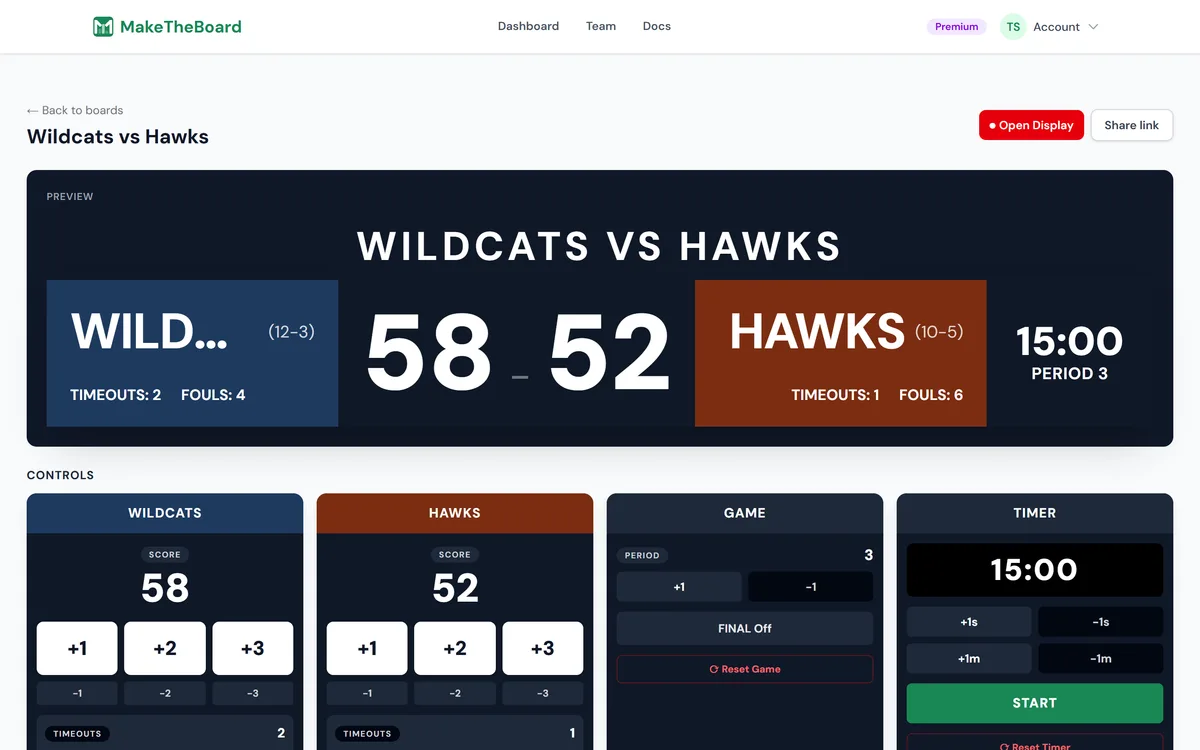
4
Display it on a TV
Share the public link at
/s/<slug>. Open it on a TV or projector for the crowd, or send it to anyone following along. The operator drives it from a phone or laptop.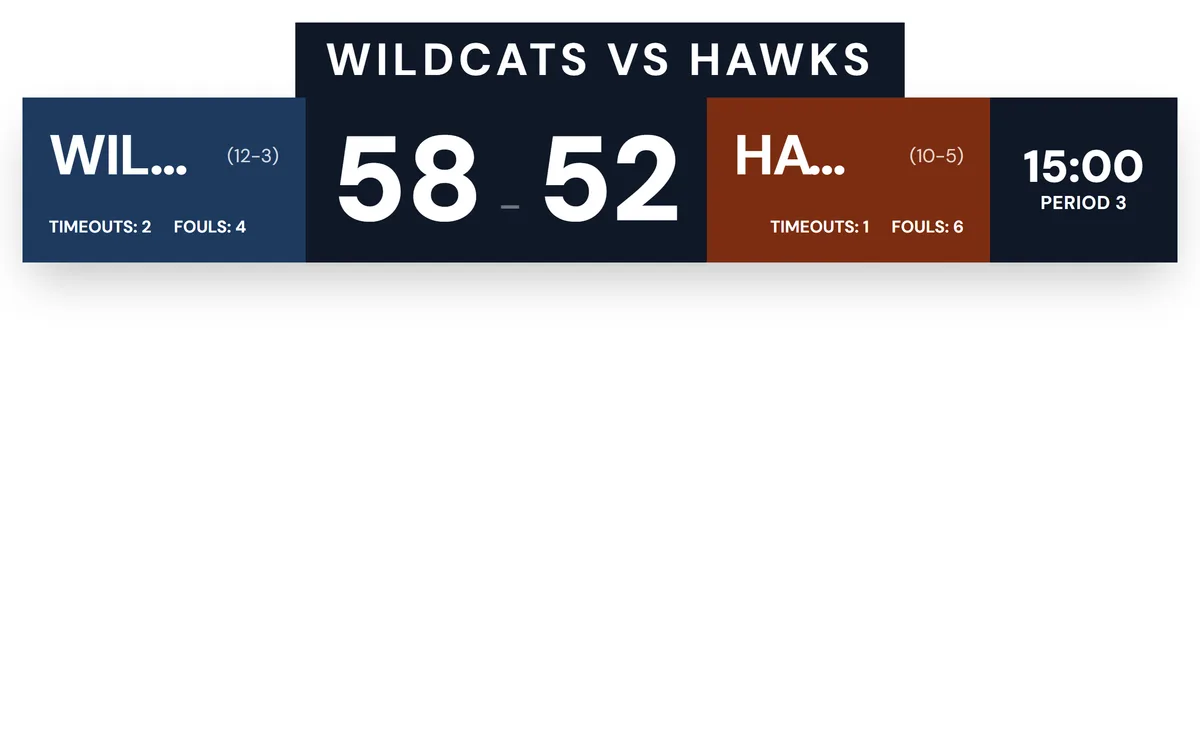
Show your sponsors
In Setup → Appearance (below the controls), add your sponsors' logos and they show in a bar under the scorebug on the display. Sponsor logos show on Pro and Premium, and on a scoreboard you've unlocked; on Free you can add them and preview them. See sponsor logos.
ℹ️
Tracking points over rounds instead?
A sports scoreboard is a single live two-team game. If you want to score many players across multiple rounds (quizzes, tournaments, game nights), use a scoresheet instead.