For clubs, schools & backyard series
Cricket Scoreboard
Run a live cricket scoreboard with runs, wickets, and overs. Tap 1, 2, 3, 4, or 6 as the runs come, count the balls in each over, and switch innings for the chase. Score from the boundary and show it on any TV. No app, no hardware.
Powering leaderboards for thousands of people
The display as the ground sees it: runs, wickets, the over count, and the innings.
Built for How Cricket Is Scored
Runs, wickets, overs, and innings, with a display that reads like a ground scoreboard.
Overs Counted Ball by Ball
Tick the ball counter once per legal delivery and the over rolls on the sixth by itself. The display reads completed overs and balls, like 23.2, with nothing to clear by hand.
Runs in One Tap: 1, 2, 3, 4, 6
Tap the run value as the umpire signals it and the batting side's total updates on every screen. Undo is one tap for a short run or an overturned boundary.
Wickets and Innings
Wickets have their own counter and stop at ten, because ten is all out. When the innings closes, switch sides: the over count restarts and the first-innings total stays up as the target.
A Ground Scoreboard on Any Screen
Open the display link on the clubhouse TV, a laptop by the boundary, or a projector for a clear, high-contrast scoreboard readable from the far side of the ground.
Score From the Boundary
Run the board from the scorer's phone at the boundary rope, or hand the scorekeeper link to a second scorer. Runs, wickets, and overs sync to every device instantly.
Followers Watch the Chase Live
Post the public link or QR code so players and supporters follow the run chase from anywhere, or add the board to OBS as an overlay for the club's match stream.
Runs, Wickets & Overs, One Tap Each
Tap the run value as it's signalled, tick the ball counter each legal delivery, and the over rolls on the sixth by itself. Wickets stop at ten. When the innings closes, switch sides and the first-innings total stays up as the target.
Create a cricket scoreboard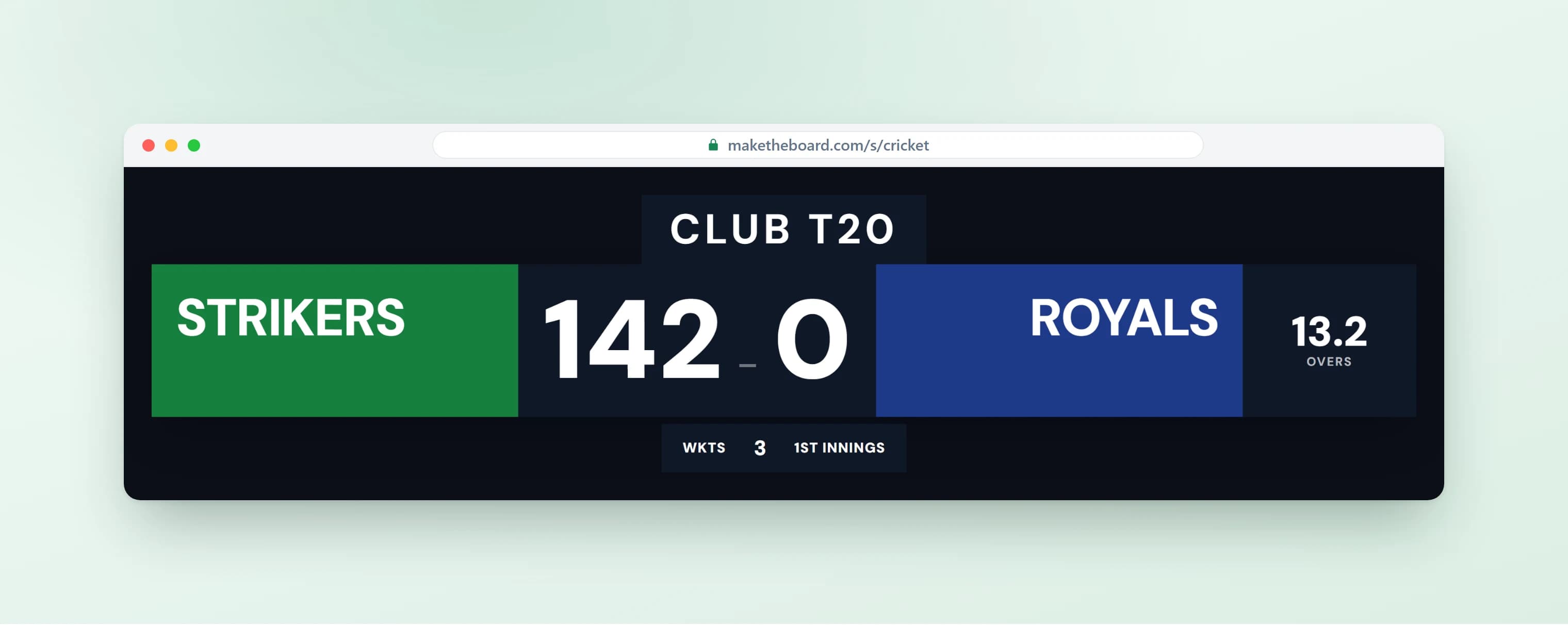
A Ground Scoreboard on Any Screen
Open the display link on the clubhouse TV, a laptop by the boundary, or a projector for a clear, high-contrast scoreboard readable from the far side of the ground. A cloud scoreboard for the club, the school, or the park.
Set up a TV display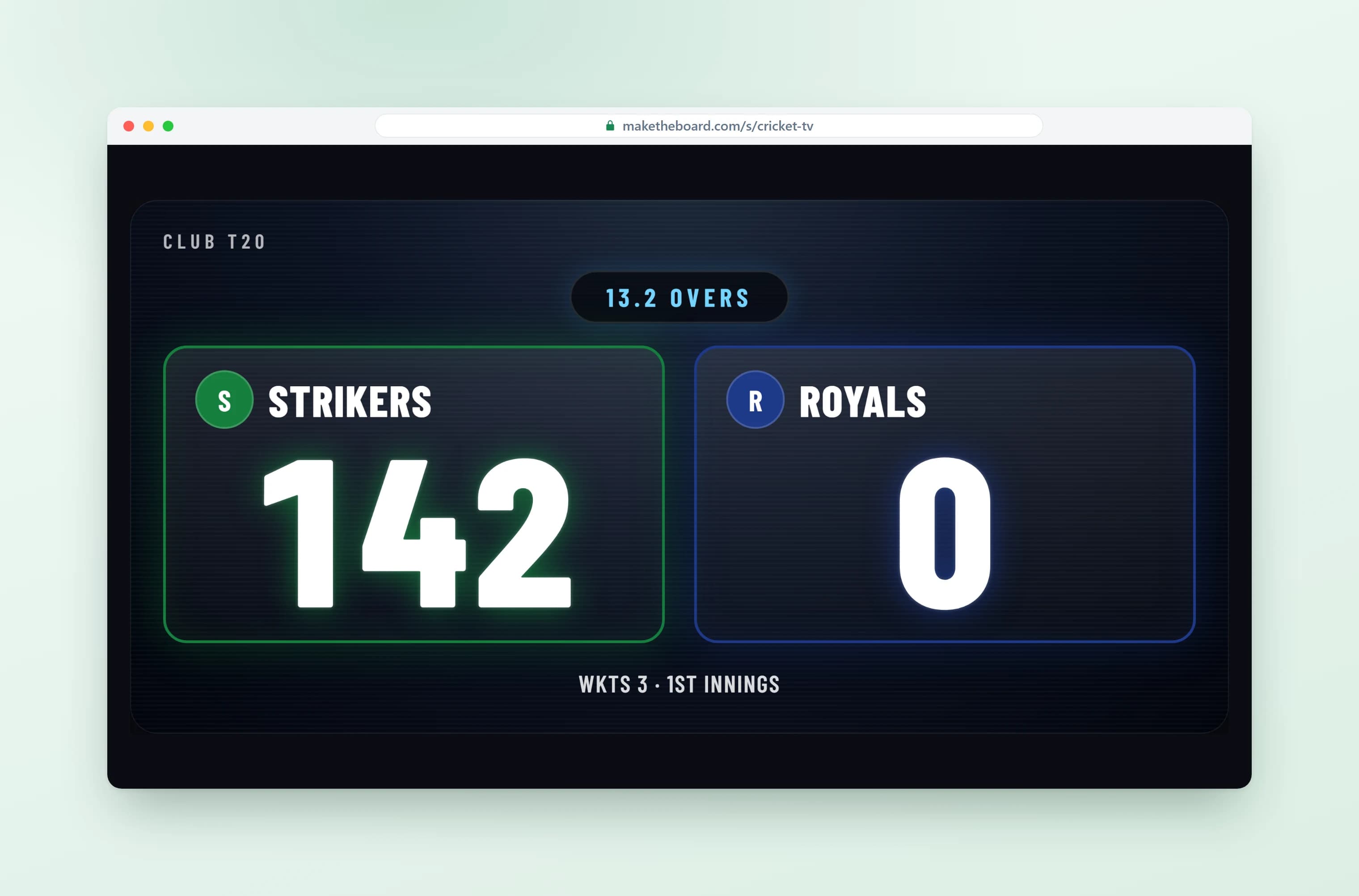
Score From the Boundary, Share the Chase
Run it from the scorer's phone while players and spectators follow the chase from their own devices with a shared link or QR code. Add it to OBS to overlay the score on a match stream.
Explore the online scoreboard maker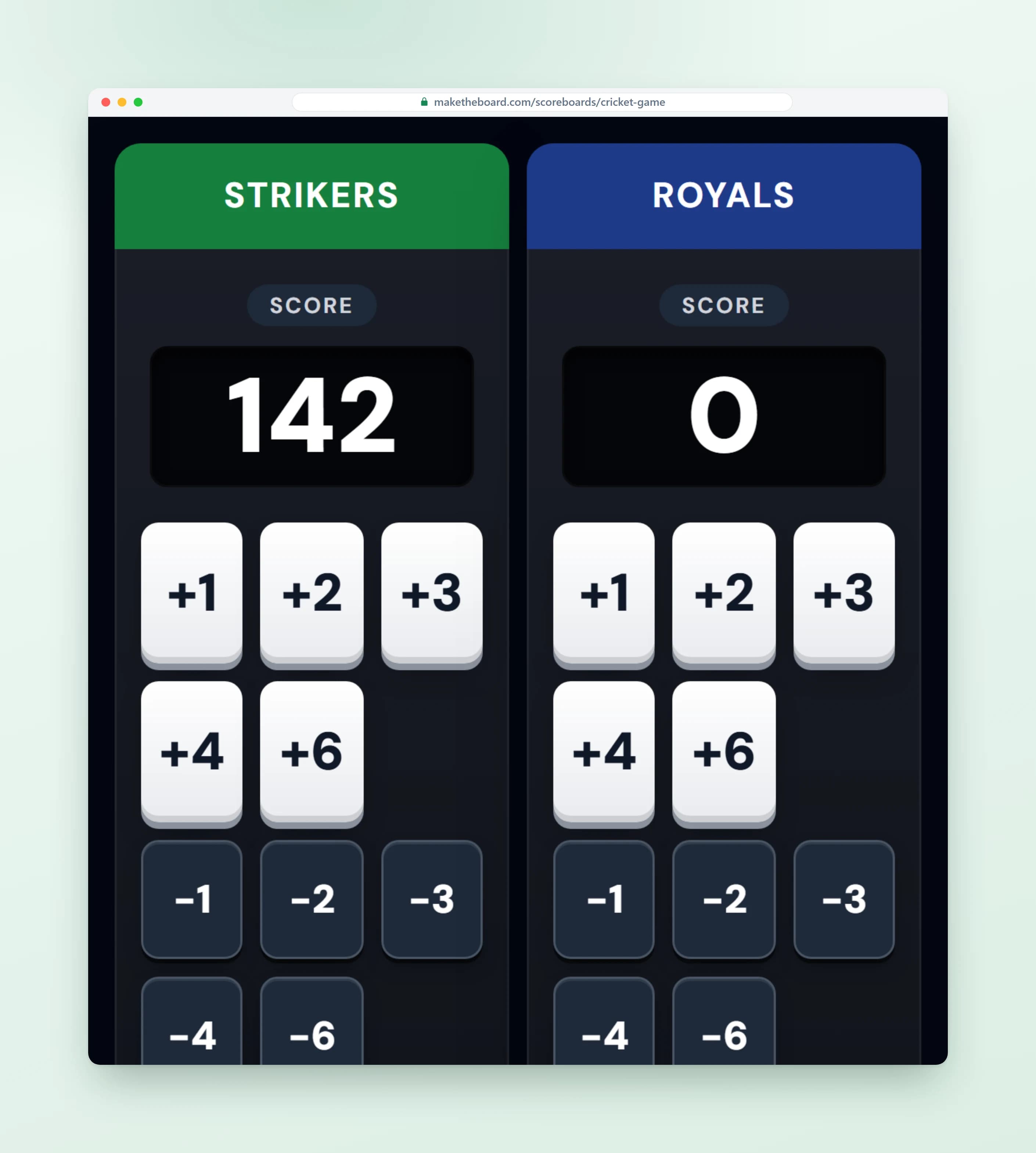
What is an online cricket scoreboard?
An online cricket scoreboard is a web page that tracks runs, wickets and overs for each innings of a cricket match. You score from the boundary on a phone and the same live link shows the total on any screen, or goes out to people following from home.
A cricket score is really three numbers at once: runs, wickets down and overs bowled. An over is six legal deliveries, so the board has to count balls as well as runs, and an innings ends when ten wickets fall or the overs run out, whichever comes first.
Overs and innings by format
| Format | Overs per side | Innings per side | Wickets |
|---|---|---|---|
| T20 | 20 | 1 | 10 |
| One Day International | 50 | 1 | 10 |
| List A / one-day domestic | 40-50 | 1 | 10 |
| The Hundred | 100 balls | 1 | 10 |
| Test / first-class | Unlimited | 2 | 10 |
An over is six legal deliveries. Wides and no-balls do not count toward the six and add a run to the batting side.
Frequently Asked Questions
Yes. The free plan gives you a live cricket scoreboard with runs, wickets, overs, and innings, and you can set each team's name and colors. No credit card. Team logos, a display without the MakeTheBoard mark, and the transparent stream overlay come with Pro — $9 for a 7-day pass, or $24 a month.
A cricket score is runs for wickets after a number of overs: 156/4 after 23.2 overs means the batting side has made 156 runs, lost four wickets, and faced 23 complete overs plus two balls of the next. The board shows exactly that: each team's runs, the wickets down, and the over count, with the side that batted first staying on the display so the chase is always in view.
Tap 1, 2, 3, 4, or 6 for the batting side as the runs come off the bat, and tap the ball counter once per legal delivery. Wickets have their own counter and stop at ten, because ten wickets is all out. Undo is one tap if a run is signalled short or a boundary is overturned.
Six legal deliveries complete an over. The board counts the balls as you tap them and rolls to the next over on the sixth, so the display reads completed overs and balls, like 12.3, without you clearing anything by hand. For a wide or a no-ball, add the run and skip the ball counter: the over only moves on legal deliveries.
Yes. When the first innings closes, all out, overs done, or declared, switch the board to the second innings. The ball and over count restart for the side now batting, and the first innings total stays on the display as the target.
Yes. The board doesn't enforce an over limit or a format, so it fits a 20-over club match, a 40-over league game, a tape-ball series in the park, or an indoor game with its own rules. You decide when an innings ends, and the runs, wickets, and overs read the same way whatever you're playing.
No. This is a scoreboard, not a scorebook: it shows team totals, wickets, overs, and the innings, the way a ground board does. Keep the batter and bowler figures in your scorebook or scoring app and put this on the screen so players and spectators can see the state of the match at a glance.
Yes. Open the display link in a browser on a TV in the clubhouse, a laptop by the boundary, or a projector for a clear, high-contrast cricket scoreboard. For a stream, add the same URL as a Browser Source in OBS, Streamlabs, or vMix and the score updates on the broadcast as the scorer enters it. The transparent overlay that keys over your video comes with the board's unlock.
Ready for the First Ball?
Create a live cricket scoreboard in seconds. Free to start, no credit card required.
Scoreboards for Every Sport
One scoreboard tool, set up for the way your game keeps score.
Scoreboard Maker
The all-purpose online scoreboard for any game or event.
OpenBasketball Scoreboard
Quarters, fouls, timeouts, and a live game clock.
OpenSoccer Scoreboard
Goals, halves, and a running match clock on any screen.
OpenBowling Scoreboard
Team-vs-team running totals for league night.
OpenVolleyball Scoreboard
Rally points, sets won, serve, and timeouts.
OpenPickleball Scoreboard
Serve, server number, and games won, court-side.
OpenCornhole Scoreboard
+1 and +3 buttons and a race to 21.
OpenFootball Scoreboard
Quarter clock, play clock, timeouts, and possession.
OpenDarts Scoreboard
501, 301 and Cricket, with checkouts and 3-dart averages.
OpenScoreboard with Timer
A live game clock paired with the score, for any sport.
OpenOBS Scoreboard Overlay
A live scorebug for your stream, added as one Browser Source.
Open