Scorekeeper link
Need a hand keeping score? Send a helper a scorekeeper link. They open it on their phone and tap to add points. They can't change the board's settings, rename anyone or delete anything, and they don't need an account.
Free on every plan
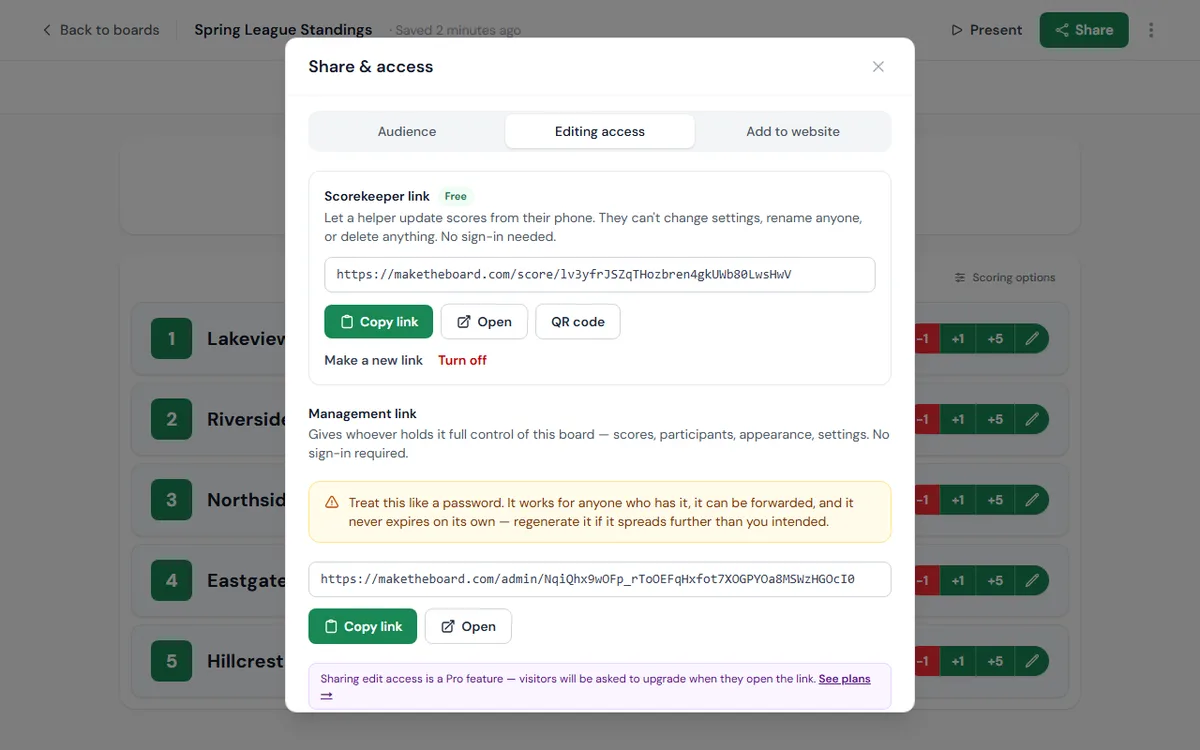
Create a scorekeeper link
Open Editing access
Create the link
Send it
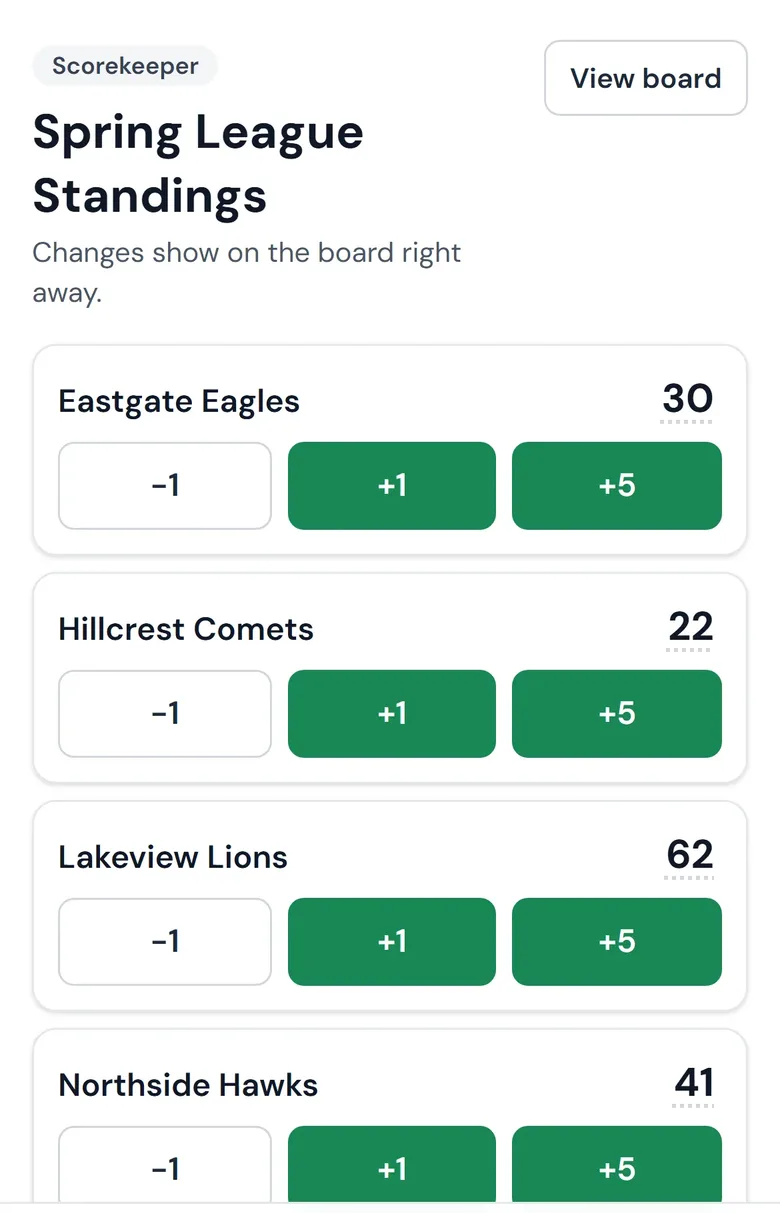
What your helper sees
A phone-sized list of everyone on the board, in alphabetical order so names don't jump around while they're tapping. Each person has the board's own score buttons (+1, +5 and so on). Tapping the score lets them type an exact number, and an Undo bar at the bottom takes back a mis-tap. Every change shows on the board, embeds and TV display within a second.
Scorekeeper link or management link?
| Scorekeeper link | Management link | |
|---|---|---|
| Update scores | ✓ | ✓ |
| Add, rename or remove people | ✕ | ✓ |
| Change settings and appearance | ✕ | ✓ |
| Reset or delete the board | ✕ | ✓ |
| Plan | Every plan | Pro and Premium |
Give helpers the scorekeeper link. Save the management link for a co-organizer you'd trust with the whole board; see shared admins.
Turn it off or replace it
In Share → Editing access, click Make a new link to issue a fresh one (the old one stops working at once) or Turn off to disable it. Scores your helper already entered stay put.
Anyone with the link can change scores
Updating scores
Score buttons, exact scores and fixing mistakes
Shared admins
Hand a co-organizer the whole board
Get a helper scoring
Open Share on any leaderboard or goal tracker, then Editing access.
Go to your boards