Sponsor logos
Leagues, tournaments, fundraisers and school events usually have sponsors. Put their logos under the board, where everyone watching the scores sees them, and link each one to the sponsor's website.
⭐
Which plans show sponsors
You can add sponsors and preview them on any plan. They appear on your public board, embeds and scoreboard display on Pro and Premium, or on a single board you've unlocked.
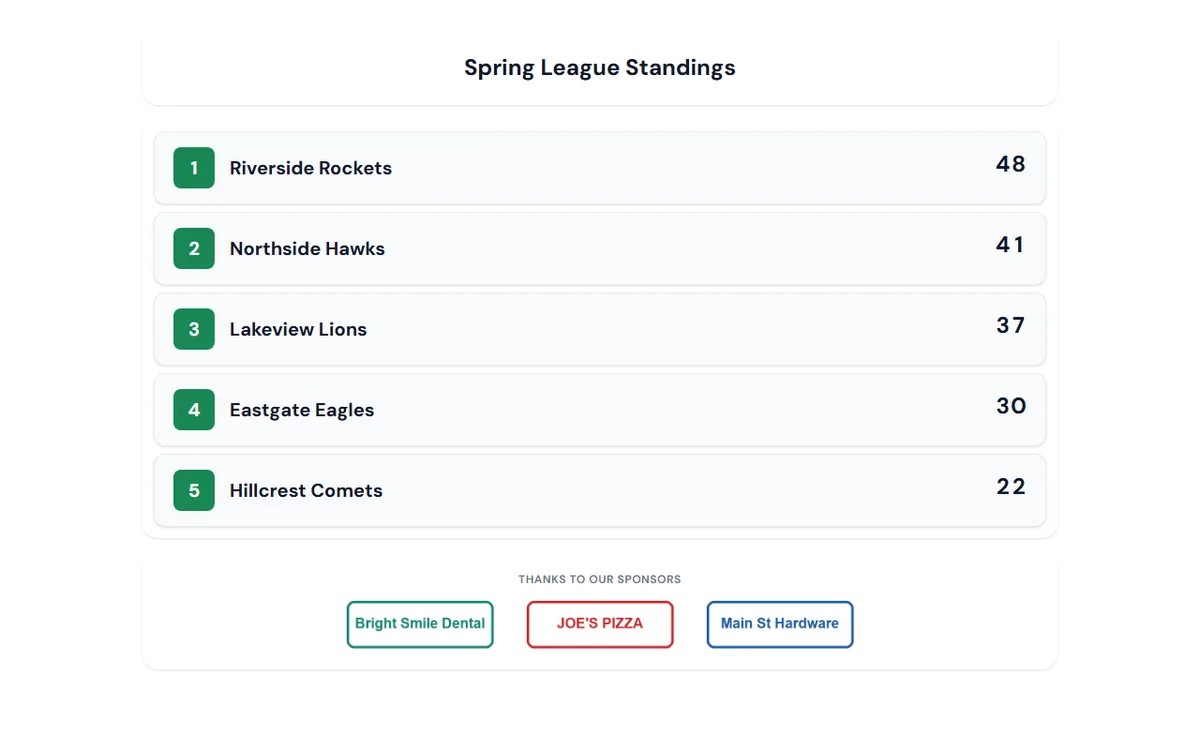
Add sponsors to a board
Works on leaderboards, score sheets, goal trackers and fundraising thermometers, brackets, and round-robin leagues.
1
Open Board details
In the board editor, click the board's title card. That opens Board settings → Appearance → Board details. Scroll past the logo to Sponsors.
2
Upload a logo
Click Add a sponsor logo and pick an image (PNG, JPG, GIF or WebP). It saves straight away; you don't need to click Apply.
3
Name it and add a link
Type the sponsor's name and, if you like, their website. A bare address like
joespizza.com is fine. Viewers who tap the logo go to that site in a new tab.4
Put them in order
Use the arrows to move your title sponsor to the front. The preview under the list shows exactly how the row will look.
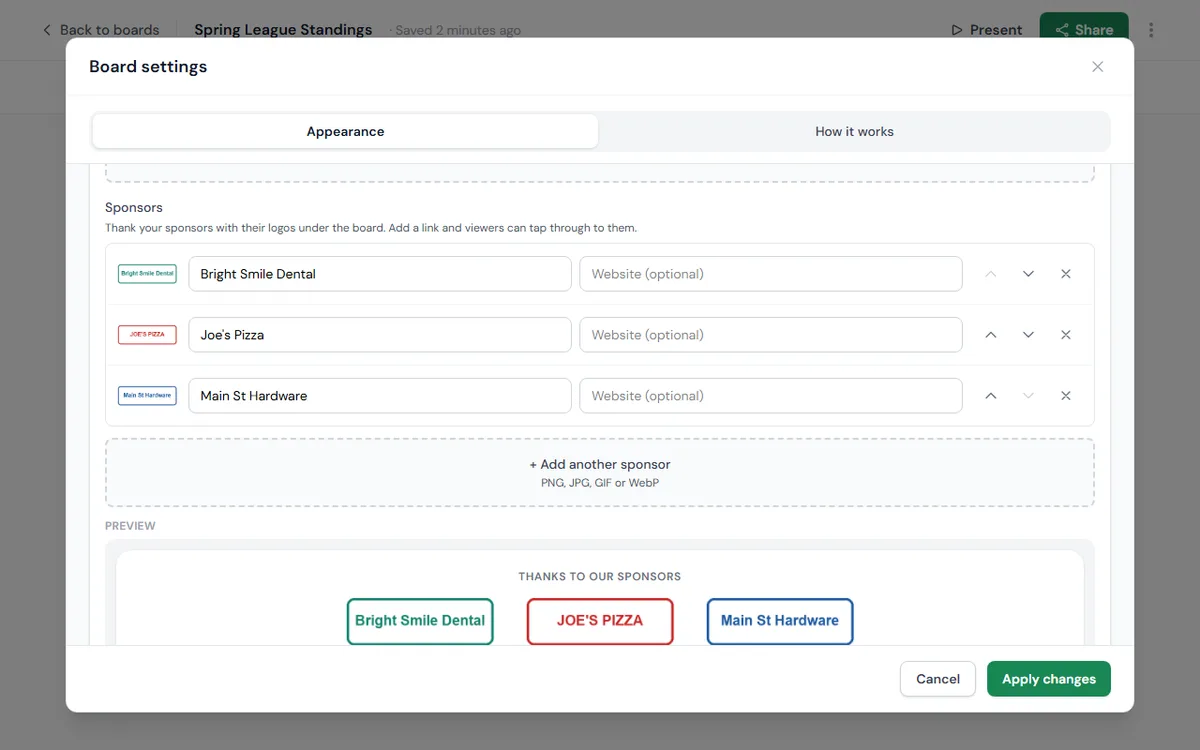
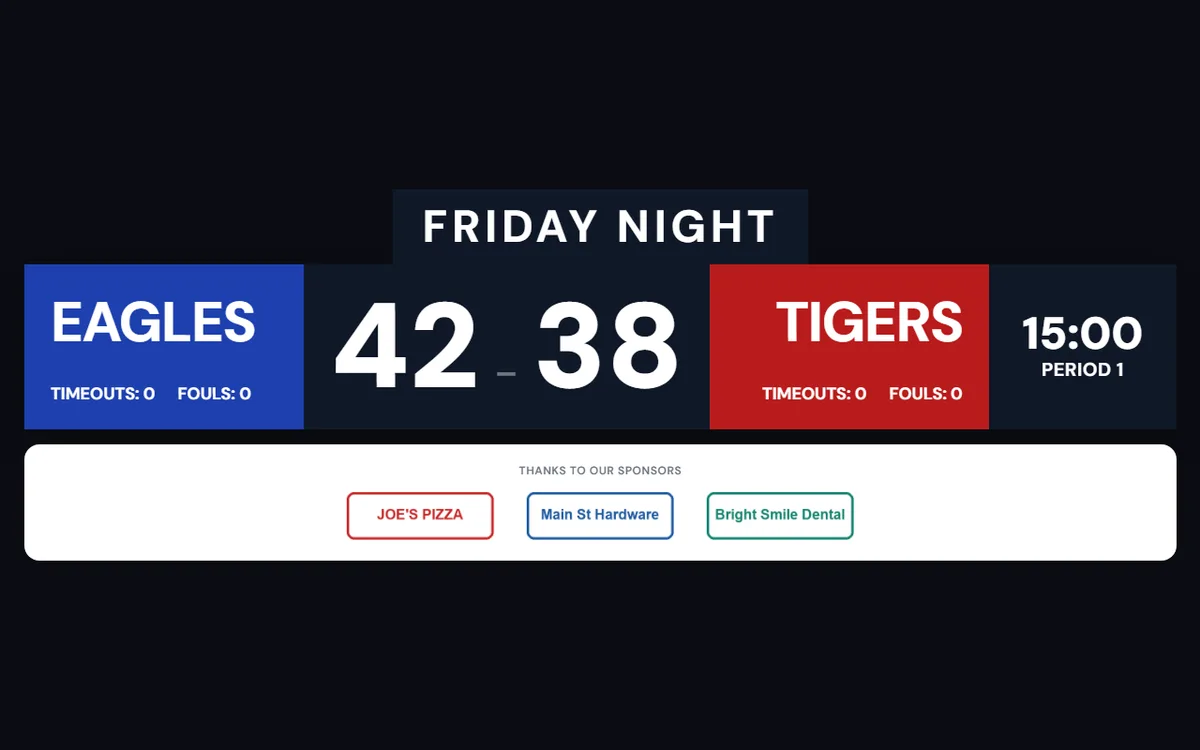
Add sponsors to a sports scoreboard
1
Open the scoreboard settings
In the scoreboard console, click Settings and choose the Appearance tab.
2
Add your sponsors
Under Sponsors, upload each logo, then add a name and an optional website, the same way as on a board.
3
Check the display
Sponsors appear in a white bar under the scorebug, so dark and light logos both stand out on the gym TV. The bar scales up with the scoreboard when you go full screen.
💡
Streaming the game?
Sponsors stay off the transparent stream overlay by default, so a white bar never lands on top of your video by surprise. To include them, add
&sponsors=1 to the end of your overlay link.Good to know
- A board or scoreboard can show up to 8 sponsors. More than that and the logos get too small to read from across a room.
- Logos with a transparent background look best. Every logo is shown at the same height, up to a set width, so a very wide logo comes out a little smaller than the rest.
- Removing a sponsor takes it off every screen showing the board straight away, including TVs and embeds.
- Raising money as well? Pair your sponsors with a Donate button on a fundraising thermometer.