Scoresheets
A scoresheet is a multi-round scoring table. Each round is a named column, players are rows, and an auto-total column ranks everyone as you go. Built for tournaments, quizzes, and game nights.
Here's a live one. Totals re-rank in real time:
Live scoresheet, updates in real time
Create and run it
1
Create the scoresheet
Click New Board, choose Scoresheet, name it, and create. You land in the editor at
/boards/<slug>.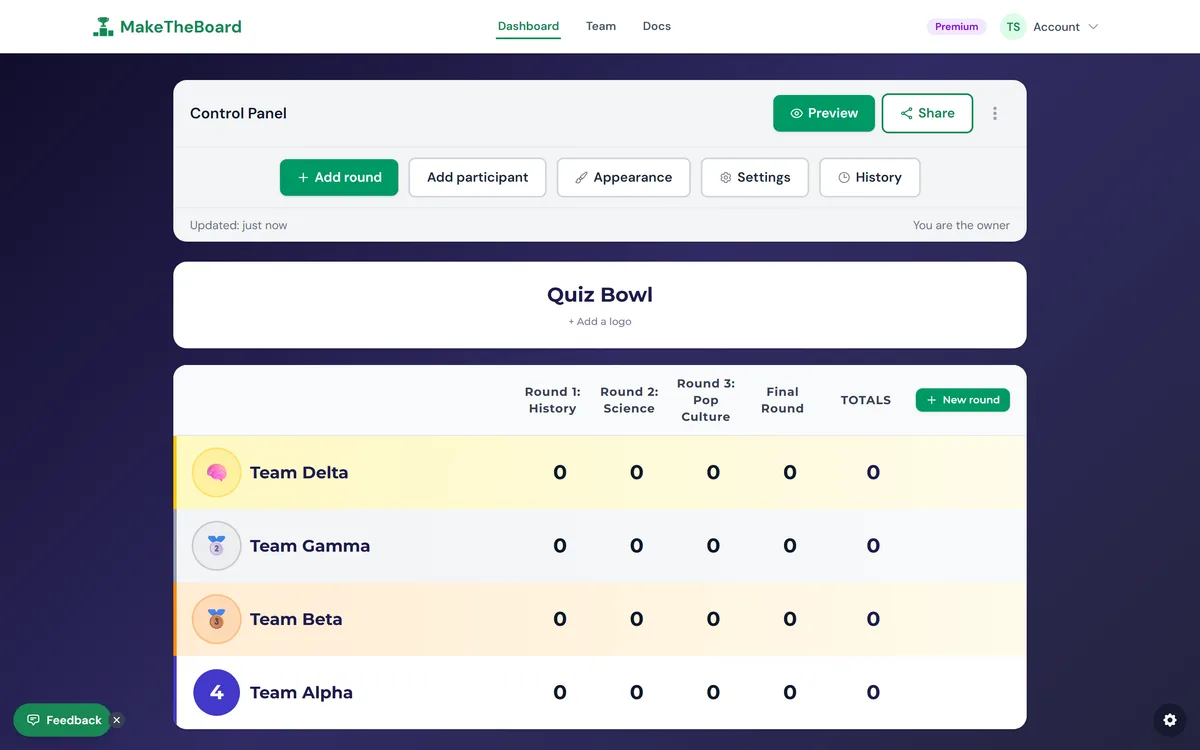
2
Add players
Type each player or team name and press Enter. Free boards hold up to 15 participants; Pro allows 50 and Premium 500.
3
Add named rounds
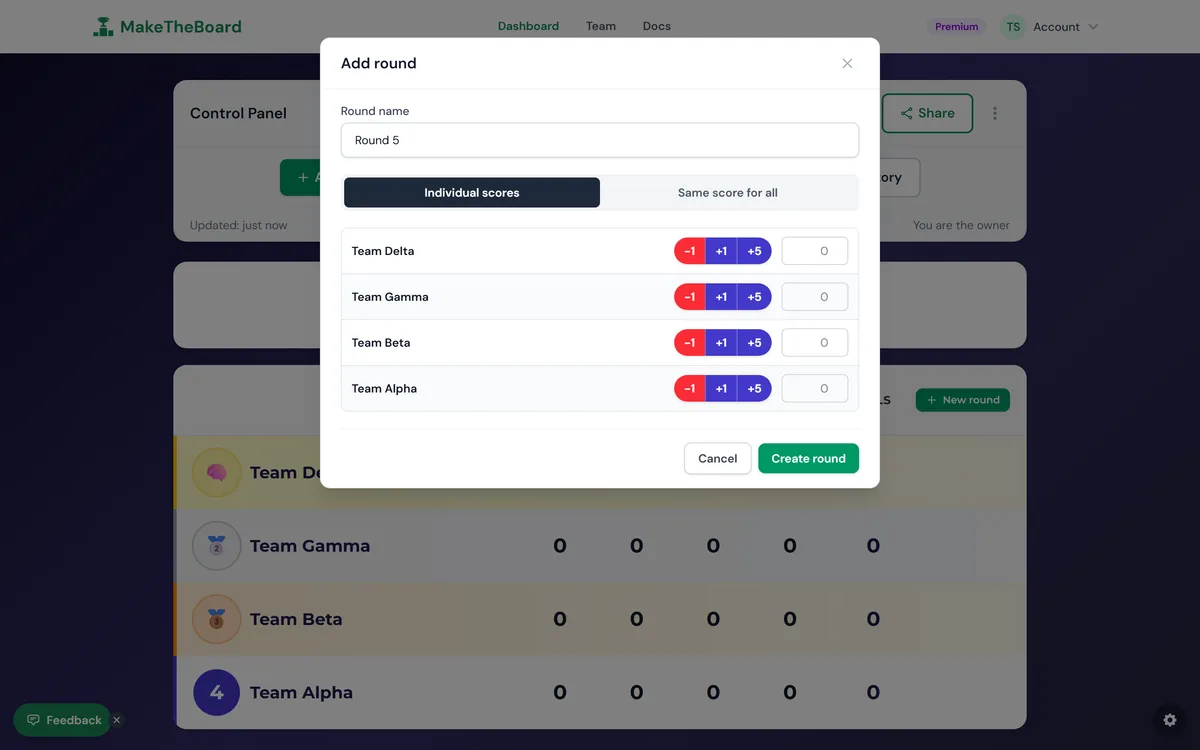
Use Add Round to create a new column, and name it something descriptive like "Round 1: History". Add a fresh round for each segment of your event.
4
Enter each round's scores
Click any cell to enter that player's score for that round. Changes save and broadcast to viewers instantly.
5
Totals auto-rank
The total column sums each player's rounds and re-ranks the table automatically, no manual tallying.
ℹ️
Scoresheet vs. Sports Scoreboard
A scoresheet tracks many players over rounds with a running total. If you need a live two-team game with a clock, fouls, and possession, that's a sports scoreboard instead.