Embed on a Website
Drop a live, auto-updating board onto any web page with a single copy-paste iframe. Scores update in real time, right inside your site.
ℹ️
Free on every plan
Website embeds work on every plan, including Free. A free board's embed carries a small “Made with MakeTheBoard” badge; any paid plan removes it.
1
Open Share → Add to website
From the board editor, click Share, then open the Add to website tab. Click Copy to grab the iframe snippet.
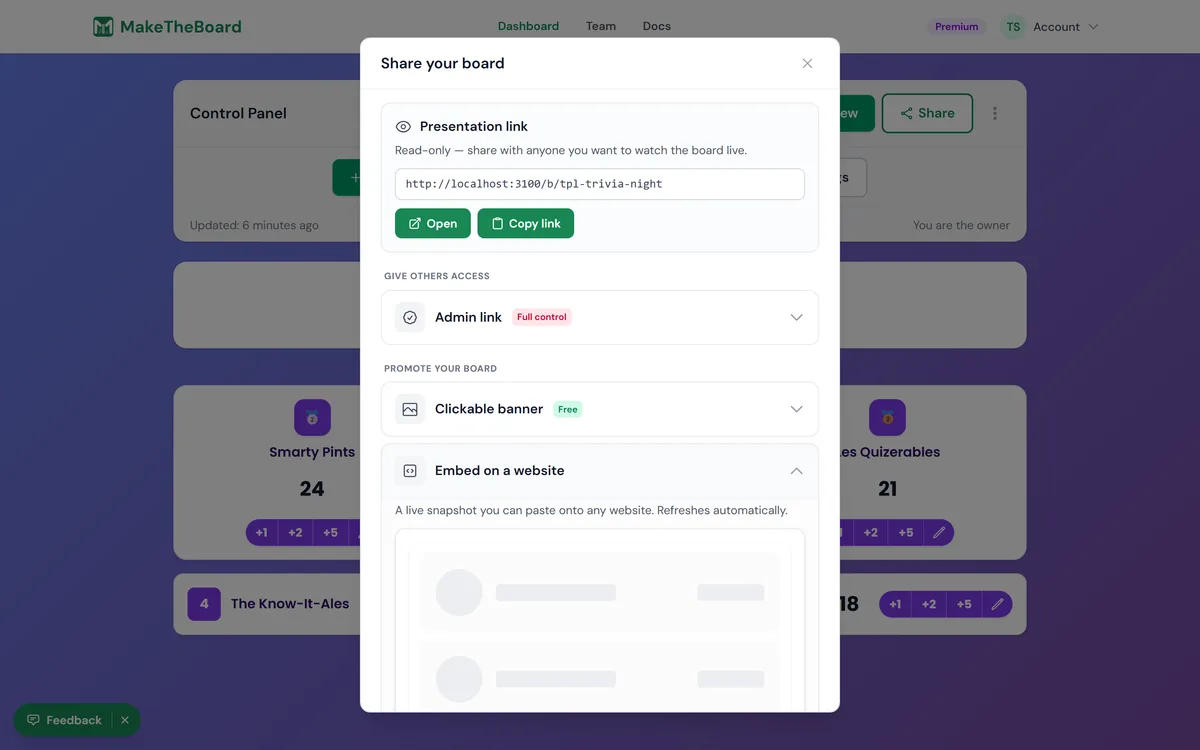
2
Paste the iframe into your site
Paste the snippet into your page's HTML, anywhere you want the board to appear. It works in plain HTML, WordPress (Custom HTML block), Webflow, Squarespace, and most site builders.
3
Adjust width and height
Tweak the
width and height attributes to fit your layout. The board fills whatever box you give it.The snippet looks like this:
<iframe src="https://maketheboard.com/embed/your-board-slug" width="100%" height="600" style="border:1px solid #e5e7eb;border-radius:12px;"></iframe>

Responsive tips
- Set
width="100%"so the board scales to its container instead of overflowing on mobile. - Use a fixed pixel
height(e.g.600) that fits your typical list length. Iframes can't auto-grow to their content. - For long lists, give it more height or wrap the iframe in a scrollable container.
- The
styleattribute is optional. Adjust the border andborder-radiusto match your site, or remove it entirely.
Troubleshooting
⚠️
Board not showing up?
Check that the board is public — a private board won't render for visitors who can't see it — and that the slug in the snippet matches the board's share link. Plan is no longer a cause: embedding is available on every tier.
ℹ️
Wrong size or cut off?
Double-check the
width and height values in your snippet. A board that looks cropped usually just needs a taller height. If nothing appears at all, verify the src slug matches your board's public address (/embed/your-board-slug).Not on Premium? You can still share the public link, QR code, or TV display on any plan.